Waste management software Waste records your transfer station can stand behind.
Waste types, EWC codes, hazardous properties, POPs, the businesses you deal with and their registrations — held once, applied to every load, and kept as a history rather than overwritten.
Waste types
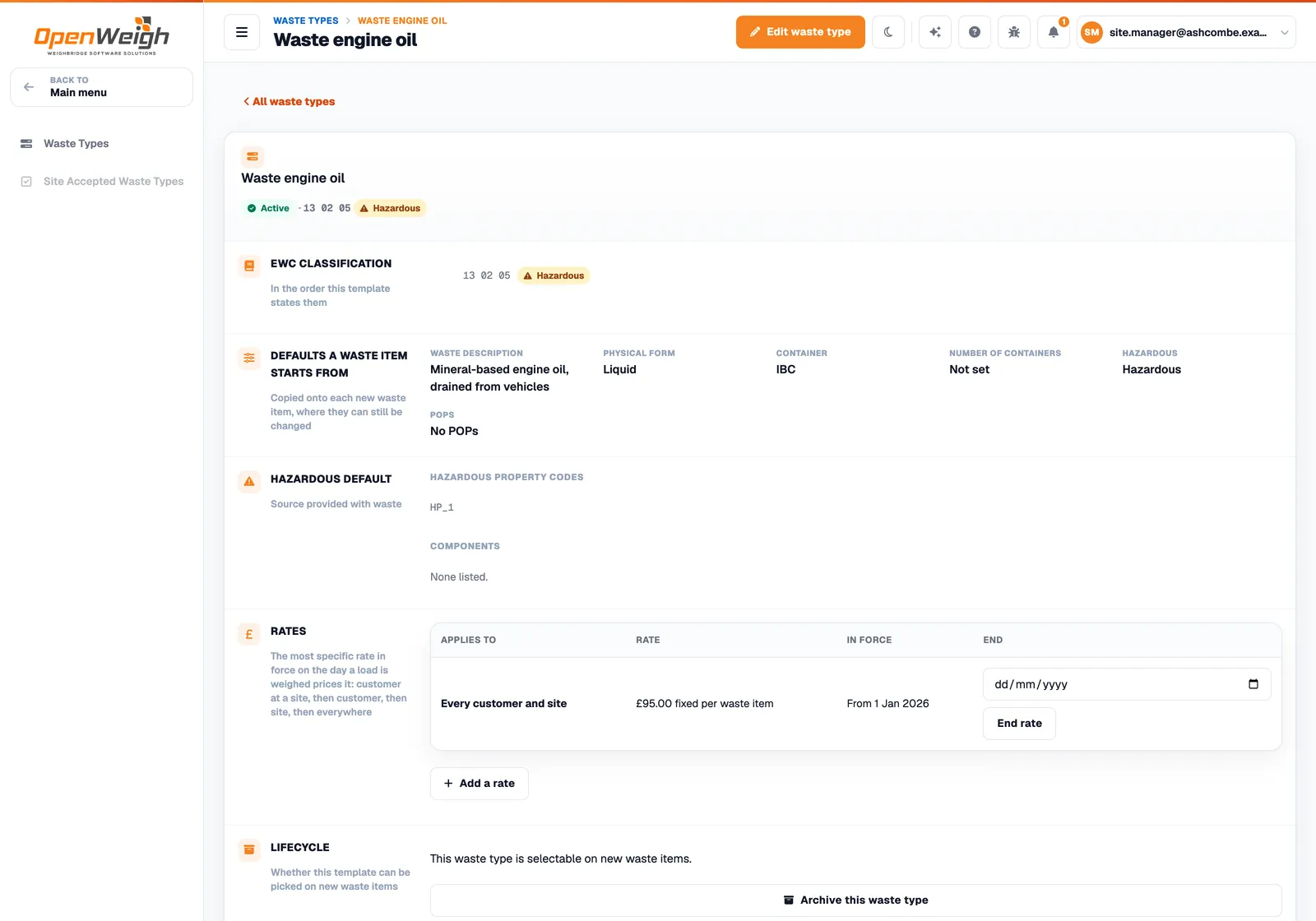
A template for each waste you take in.
A waste type is what a load of that waste should say. Every new waste item on a ticket is copied from it, and can still be changed for that load.
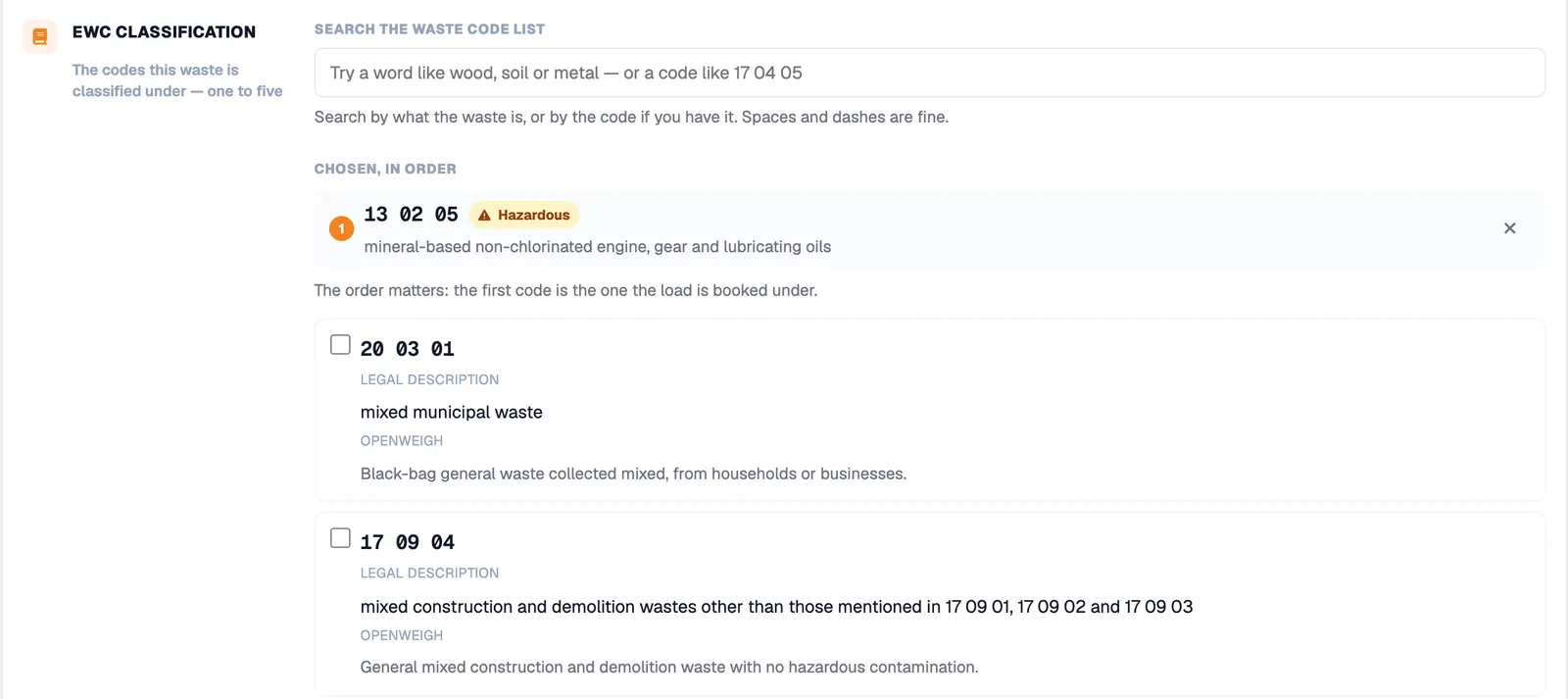
- EWC classification. One to five codes from the List of Waste, in order — the first is the code the load is booked under.
- Search, not scroll. Find a code by describing the waste or by the code itself. Each result shows its legal description and, where helpful, a plain-English note.
- Defaults for each item. Waste description, physical form, container and number of containers.
- Hazardous and POPs. Hazardous property codes, hazardous components and persistent organic pollutant information, chosen from DEFRA’s reference lists.
- Rates. The default price for the waste type, with customer and site rates that take precedence.
Sites and acceptance
What each site may take, and what it does with it.
A site holds its own authorisations. Record the EWC codes it accepts and the recovery or disposal code applied to each waste type there, and the ticket carries them.
Permits and exemptions
Site authorisations and regulatory position statements, found on the regulator’s public register where it can be asked.
Accepted EWC codes
The codes each site accepts, kept with the site rather than in someone’s head.
Recovery and disposal codes
The R or D operation for each waste type at each site, carried onto the printed weighbridge ticket.
Registrations and permits
Checked where a register can be asked. Honest where it cannot.
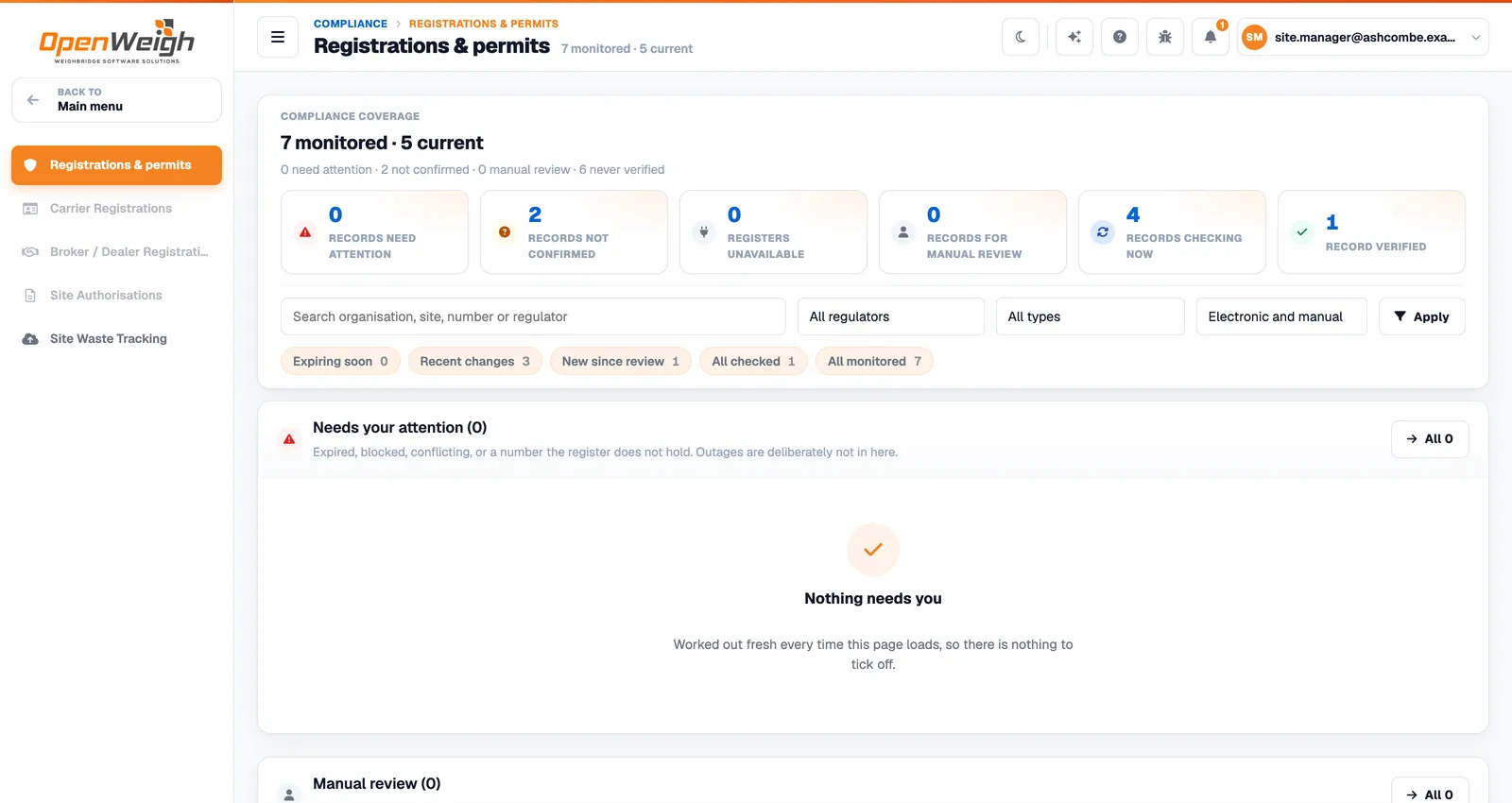
Waste carrier and broker/dealer registrations and site permits are checked against the regulators’ public registers where one can be asked, and re-checked by a sweep that runs every 24 hours. Each check is a new row — the history is never edited.
| Status | What it means |
|---|---|
| Verified | The register was asked and listed the record. |
| Not confirmed | The register answered and did not list the number, from a dated extract. |
| Register unavailable | Nothing was established; the check will be retried. |
| Manual review | There is no register to ask, so a person files the evidence. |
| Expiring soon | Currently valid; the renewal is being asked for early. |
Only an expired, blocked or conflicting record — or one missing when it should be there — is treated as a failure. Northern Ireland registrations go to manual review.
Business records
One record per business, whatever its role.
Find a business once. Customer, supplier, waste carrier, waste producer and broker or dealer are roles on the same organisation, each with its own locations and registrations.
- One business search across the application, so the same company is not added twice.
- Vehicles linked to their waste carrier, with stored tares.
- Archived, never deleted. An archived record stays on every ticket that used it.

Where do the EWC codes and descriptions come from?
From DEFRA’s reference data for the List of Waste, synchronised into OpenWeigh. The legal description is shown with each code.
Can we record hazardous waste?
Yes. Waste types and waste items carry hazardous property codes, hazardous components and POPs information, and a hazardous load cannot be completed until what it needs is recorded.
Who can see and change what?
Users have a role — Account Administrator, Supervisor, Auditor or Operator — with permissions such as viewing the audit log, overriding a ticket charge and submitting waste tracking.
Get started
Ready for the next load on the bridge?
Sign up online, set up your first site and put your next ticket through OpenWeigh Waste.
Already using OpenWeigh? Sign in